
01 / Readings
When does CO₂ rise in the hall?
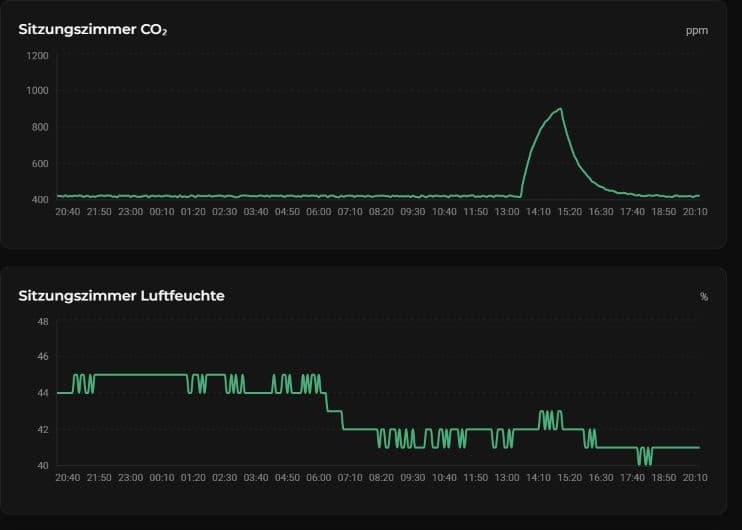
cosy-data charts CO₂ and humidity over time. The facilities team can see when the readings started to rise.
cosy-connect
Four example views. Scroll from the first reading to the next event.
cosy-data charts CO₂ and humidity over time. The facilities team can see when the readings started to rise.
The cosy-connect audio view labels each channel. During a talk, the authorised operator can adjust the microphone level.
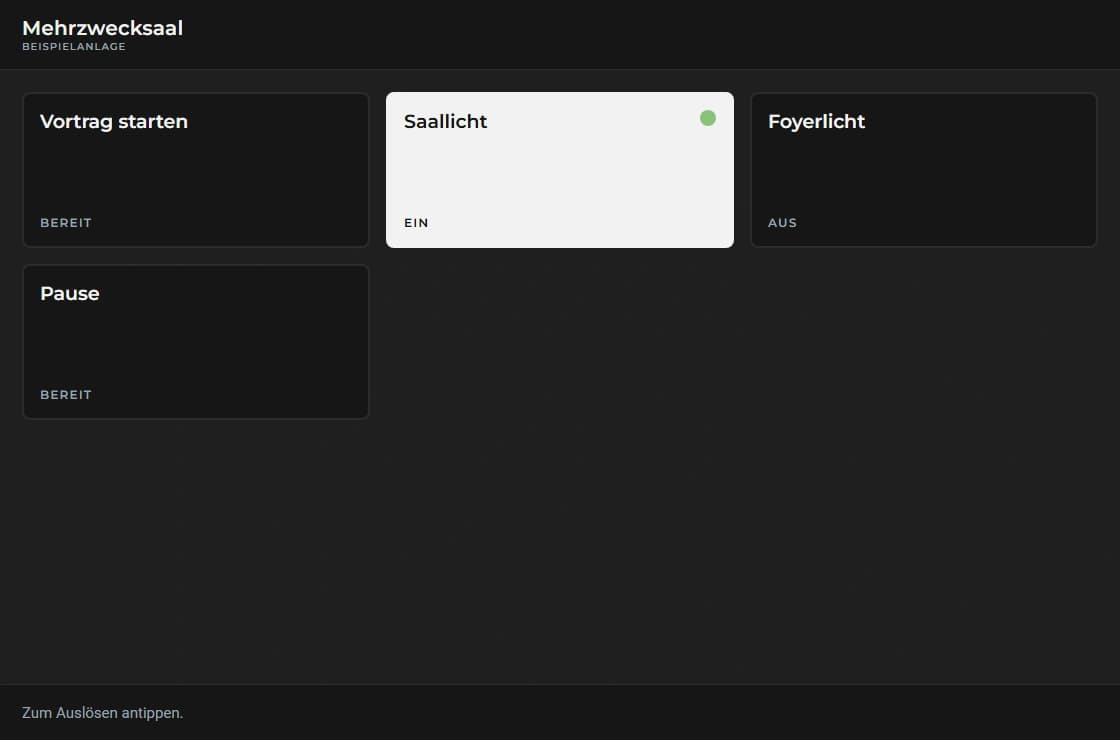
The room device shows the functions assigned to it. A button recalls a scene, while a switch shows its current state.
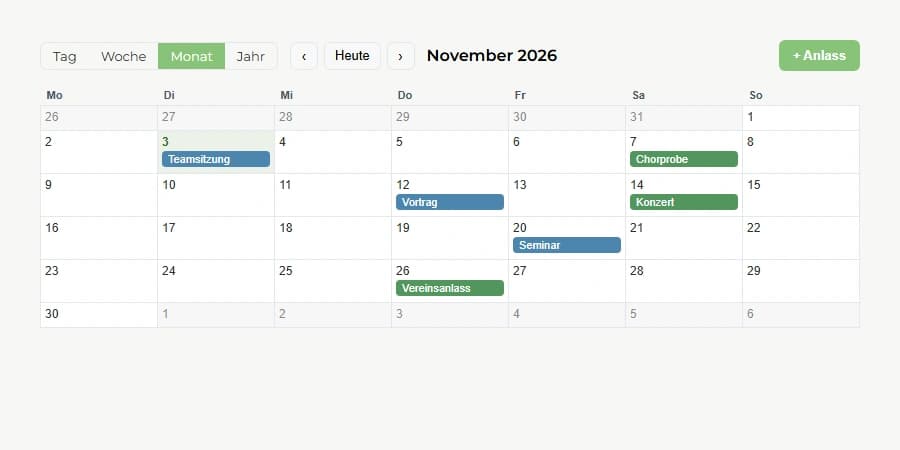
In cosy-plan every event has its place. The team sees talks, rehearsals and concerts in one calendar and can prepare the room accordingly.
Roles and permissions
cosy-connect has three levels: CoSy-Tec, service partners and your organisation. Every role has clearly defined rights, and access applies per installation.
01
Licences, firmware and controlled updates for all installations.
02
Integrators look after their customers: create organisations, invite users, set up hubs and check them remotely.
03
You decide who may do what in your building.
Nobody can assign a role above their own.
Feature Set
cosy-connect gives the customer browser access to all activated modules of their cosy-hub — cosy-plan, cosy-bell, cosy-data and more.
Live overview of all installed cosy-hubs: online status, active apps, sensor values and latest activity — at a glance.
Adjust schedules, settings and app parameters via cosy-connect — no on-site visit required for standard configurations.
Instant notification on connection loss — by email. The team responds before the customer notices.
Separate access for technicians, customers and administrators. Each role sees only their relevant apps and hubs.
Firmware and app updates are deployed by CoSy-Tec or service partners — controlled, documented, with no effort required from the customer.
Architecture
The modules (cosy-plan, cosy-bell, cosy-data, etc.) run entirely on the on-premise cosy-hub. cosy-connect is the cloud platform that gives the customer secure remote access to exactly those modules. The hub connects outbound — no VPN, no open port.
Installation & Licensing
CoSy-Tec or a service partner sets up the cosy-hub and activates the desired app licences.
Hub connects actively
The cosy-hub registers with cosy-connect via HTTPS — outbound, no port-forwarding required.
Customer accesses modules
After logging in to cosy-connect, the customer sees their activated modules and can operate them.
Updates by CoSy-Tec
Firmware and app updates are deployed in a controlled manner by CoSy-Tec or service partners.
User
Browser / Mobile
Admin · Technician · Facility Manager
Cloud · SaaS
cosy-connect
Monitoring · Remote Config · Alerts
HTTPS-POLLING · OUTBOUND FROM HUB
No VPN · no port forwarding · no firewall exception
On-Premise · Customer
cosy-hub
On site · in the building
Activated Modules / Licences
cosy-clix
Relay / Switching
AV Systems
Matrix / Rack
Sensors
CO₂ / Temp / Presence
Modules & Licences
The base system (cosy-plan, cosy-logic, cosy-core) is part of every cosy-hub. Every other module is a separate licence, activated by CoSy-Tec as the project requires. All modules can be added at any time; updates and new features are rolled out by CoSy-Tec or service partners.
Licences on request from CoSy-Tec or service partners
Request a licence →Related Products
cosy-hub
The device in the building runs all licensed modules on site, even without internet. cosy-connect provides secure remote access to them.
cosy-bell
Module on the cosy-hub: bell control with ringing schedules, church year and strike lock.
cosy-vip
Module on the cosy-hub: notices on screens, kiosk devices and eInk boards — maintained in cosy-connect, shown on site.
Next Step
cosy-connect and cosy-hub are set up together by CoSy-Tec. Which modules you need — we discuss that in an initial consultation.